Adapter check (serial number-Boot FW- Release date) download:
Download and install the program you want to use from below.
X-DIAG PRO3 (X-DIAG V7.00.14) Android 7,8,9,10,11,12,13
DIAGZONE PRO3 (2.00.027) Android 7,8,9,10,11,12,13,14
PROGRAM INSTALLATİON İNSTRUCTION
FOR XDIAG PRO V7.00.010 APK
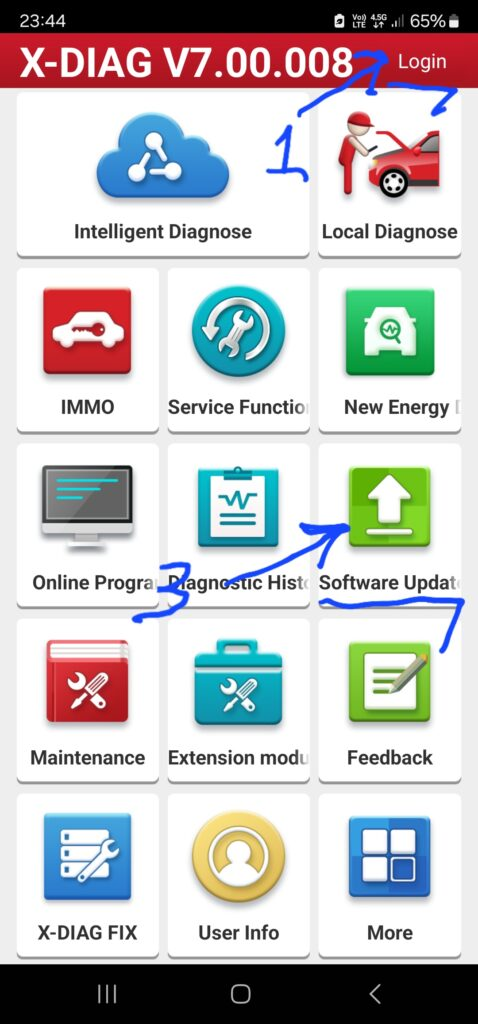

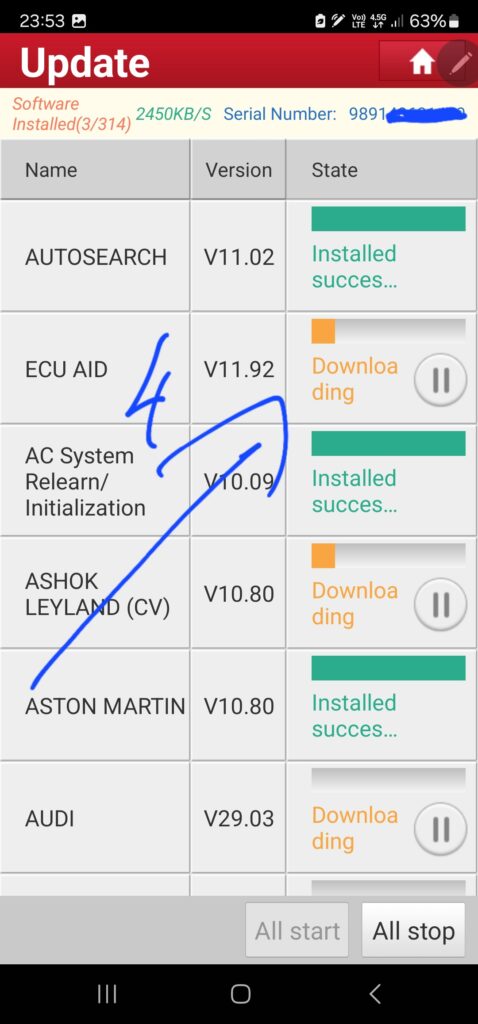
Download the program and install it on your device. Then click on the login section shown with number 1 in the picture.
Click on number 2 in the picture and use the login information I sent you.
Click on number 3 that I marked in the picture and then click on number 4 and get all the updates.
FOR DİAGZONE PRO V2.00.XX
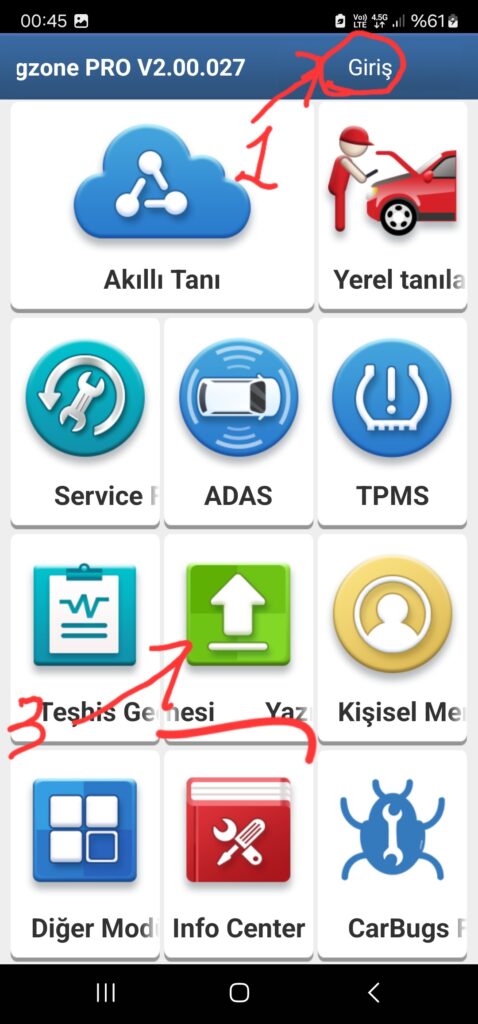
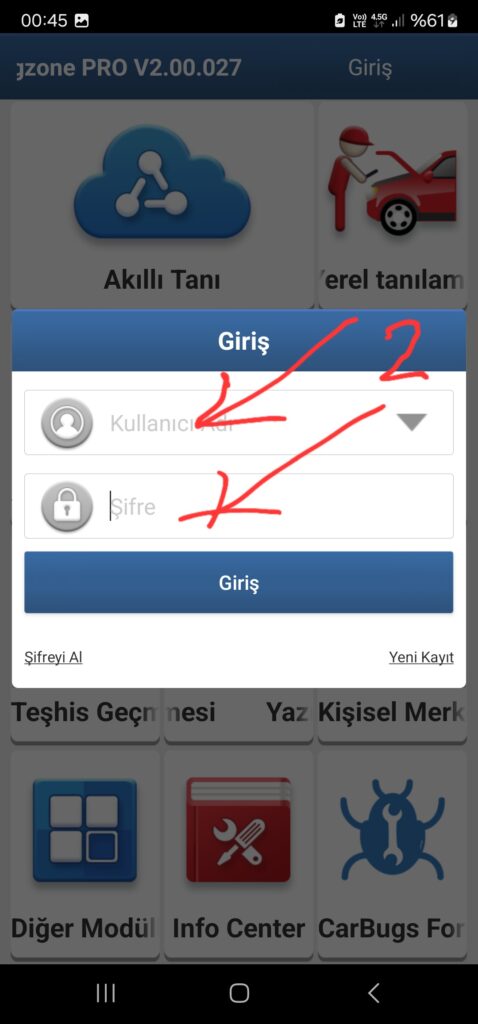
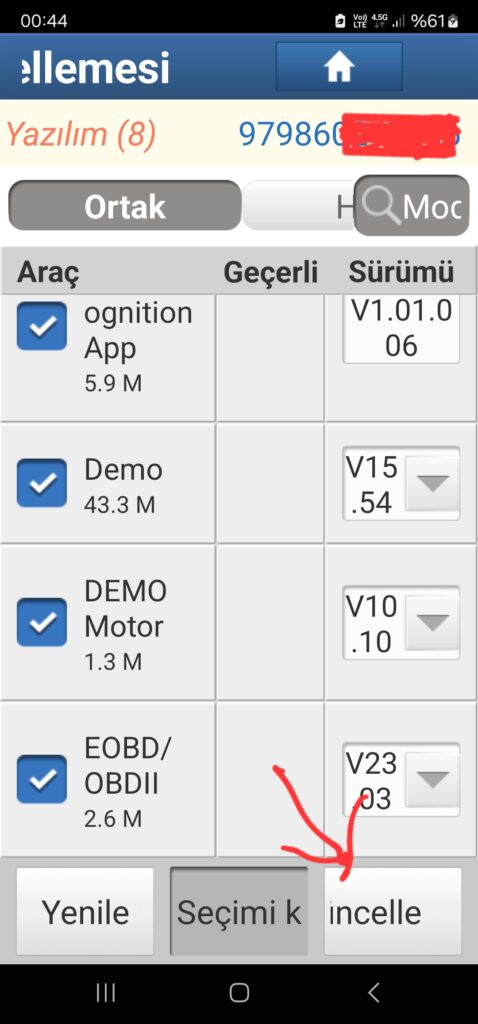
Download the program and install it on your device. Then click on the login section shown with number 1 in the picture.
Click on number 2 in the picture and use the login information I sent you.
Click on number 3 that I marked in the picture and then click on number 4 and get all the updates.
Note : When you first use the Diagzone program, it will ask for verification for the device. Connect your xdiag device to the vehicle and perform verification. Then you can download the vehicle file